MORE THAN SALES AND INVOICES
Your people, devices and payments—connected.
Explore the wider tools in each application and the optional connections you can add to your business.
Workforce tools
Time attendance and payroll
Employee IDs and names, clock-in/out history, shifts, leave, payroll preparation and payslips. Smartorder offers these as optional add-ons.
Existing equipment
Connect your Hikvision machine
Connect a compatible attendance terminal and match punches to your employees. Direct server push can work without a PC staying on; model, firmware and network checks come first.
Merchant activation required
blink QR and payment connections
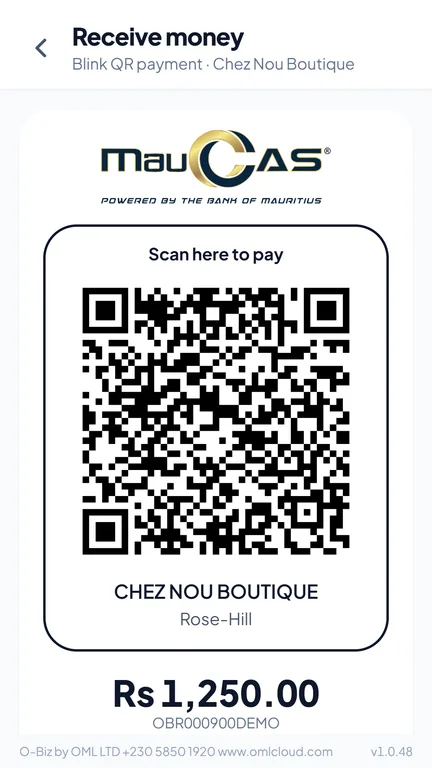
blink connectors are available in the three business apps. Connect your approved merchant account, configure live payments and test the complete payment flow before accepting money.
Optional · separately quoted
PBX and telephony
Connect a compatible existing PBX or discuss a phone setup. Invoicer and MRA POS have Asterisk/SIP tools; Smartorder needs an integration assessment. Trunks, numbers, hosting and call charges are separate.
See each service’s module catalogue for CRM, accounting, online selling, bookings, stock, delivery, documents and specialist workflows. Some modules need activation or additional setup; your selected package and price are agreed before subscription.
MAURITIUS E-INVOICING
MRA e-invoicing readiness
Integration available · business onboarding required
Invoicer, MRA POS and Smartorder include MRA e-invoicing integration or configuration tools; Smartorder offers its MRA EBS module as an add-on. Readiness means preparing the correct software module, seller details and tax settings, then completing the required MRA onboarding and tests. It is not a claim of MRA approval or certification for every installation. A trial workspace or a PDF invoice alone is not a fiscalised invoice.
- Prepare your business details. Check seller identity, tax information, invoice numbering and the required software module.
- Complete MRA onboarding and tests. Register and onboard the relevant billing system through MRA's process, and configure the issued access details securely.
- Verify fiscalised invoices. Confirm successful submission and the returned MRA reference before relying on the live workflow. Keep track of rejected or pending submissions.
Read the official MRA e-invoicing guidance ↗
Availability depends on the selected application, module and your business setup. The Business AI service does not itself fiscalise invoices.
A LITTLE CLARITY BEFORE YOU START
Your questions, answered.
How do I choose between the four services?
Start with your main daily task: Invoicer for billing and balances, MRA POS for checkout and stock, Smartorder for orders and bookings, or Business AI to add assistance to tools you already use. The Find your fit guide gives a recommendation, and each service page explains what to prepare.
What happens after I register?
Choose a service and submit your business details. Confirm your email, then OML Cloud prepares your workspace and emails the access details. Change your temporary password at first sign-in and complete your business-specific settings before daily use. For OCR AI, the email has a link to choose your OCR AI password instead.
When does the 30-day trial begin?
Your trial begins when your workspace setup is complete, not when you first submit the registration form. Use the trial to check your everyday workflow, documents and any equipment or external connections you need.
What will I pay after the trial?
Prices will be published on this website and shown before you agree to a paid subscription. No payment is taken automatically. Subscription invoices are managed through OML Cloud’s Sales billing system; payment instructions will appear on your invoice when billing is available.
What happens when the trial ends?
Workspace access requires an active trial or paid subscription. If you want to continue, review and accept the available price and follow the subscription payment instructions. Do not assume a trial continues indefinitely.
Can I use more than one service?
Yes. Your OML Cloud account can manage more than one service. Each service is a separate workspace or subscription; connecting information between applications may require additional configuration.
Are email, WhatsApp and equipment ready immediately?
OML Cloud sends account verification, welcome and password-reset emails. Your application’s customer emails, WhatsApp connection, printer or scanner need their own setup and checks. The individual service pages explain what to prepare.
How do I recover my password?
Use Forgot password from the OML Cloud sign-in page and enter your registered email address. The link is valid for one hour and works once. A separate application workspace may have its own sign-in and recovery process.
Do you offer time attendance and payroll?
Yes. Invoicer and MRA POS have staff, attendance and payroll modules. Smartorder offers attendance, payroll, leave and scheduling as optional add-ons. Review the required modules, staff limits and setup as part of your chosen package.
Can you connect my existing Hikvision machine?
Compatible Hikvision terminals can connect to Invoicer, MRA POS or Smartorder. We first check the model, firmware and network, then map employee IDs and test attendance delivery. A direct-push connection does not require a PC to stay on; support depends on the terminal.
Can customers pay me using blink QR?
The three business applications have blink QR connectors. Your own merchant activation and live credentials are required before taking real payments. This is separate from paying your OML Cloud subscription, which is invoiced through our Sales billing system.
Can I connect an existing PBX or add telephony?
Yes, as an optional service subject to compatibility and a separate quote. Invoicer and MRA POS include Asterisk/SIP integration tools. A Smartorder connection needs a separate integration assessment. Phone numbers, SIP trunks, call charges and hosting are agreed separately.
Can I scan products using a camera?
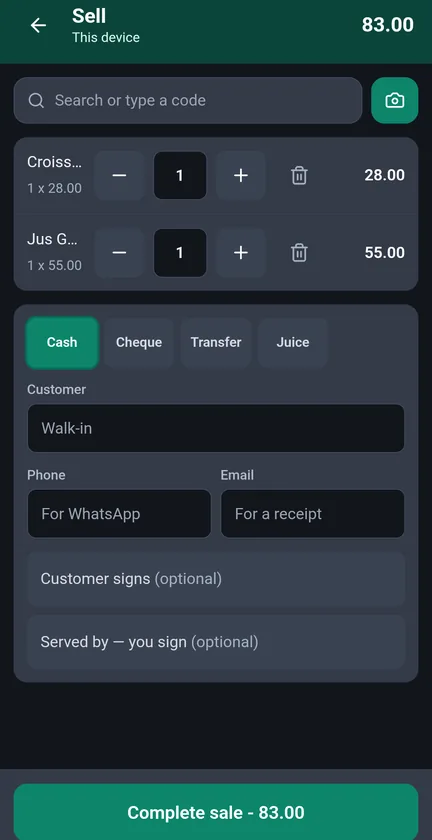
Camera barcode scanning tools help find products without typing long codes. Invoicer and MRA POS include camera-scanning tools; Smartorder also has camera-scanning tools for supported workflows. Check the exact screen and device during setup. Requires HTTPS, camera permission, readable codes and a compatible browser. Scanning a code does not automatically create a product or recognise an unlabelled item.
Can I operate cashless and paperless?
Yes, using the available payment and digital document tools in your selected service. Activate your merchant account, set up the delivery channel and test the complete sale-to-receipt workflow. Retain the records your business needs.
Already have an account?
Open your workspace or recover access using your registered email.