← Back to the main page
Android app by OML O-Biz
Sell, invoice and get paid by QR, from your phone.
O-Biz runs a small business from a phone or tablet: the till, invoices and quotations, stock, expenses and the money coming in, with MauCAS QR payments through Blink.
For Android phones and tablets. Made in Mauritius by OML LTD.
See it before you install it
Your shop, one screen at a time.
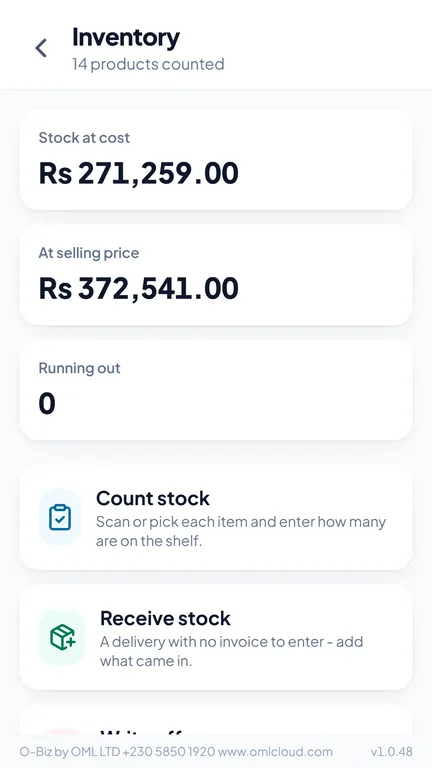
These screens show an invented shop. Scroll sideways to see them all.
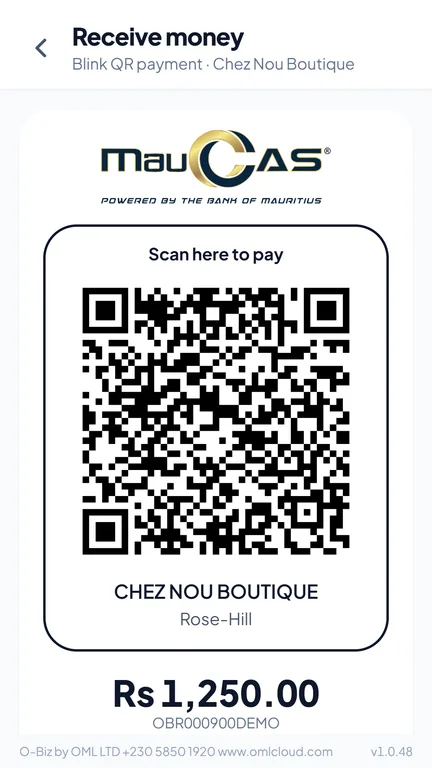
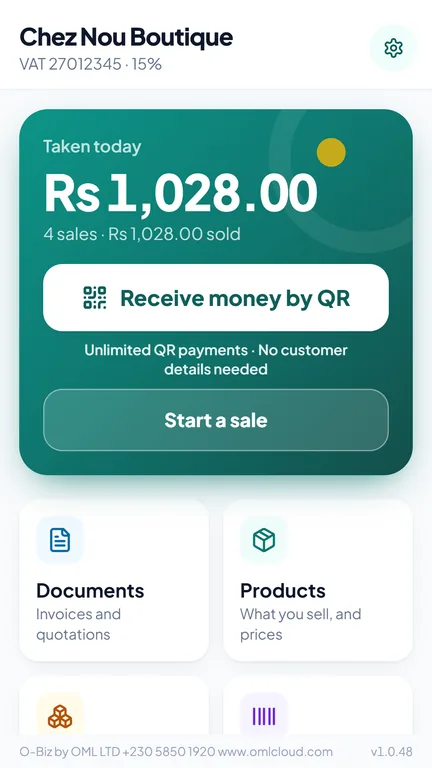
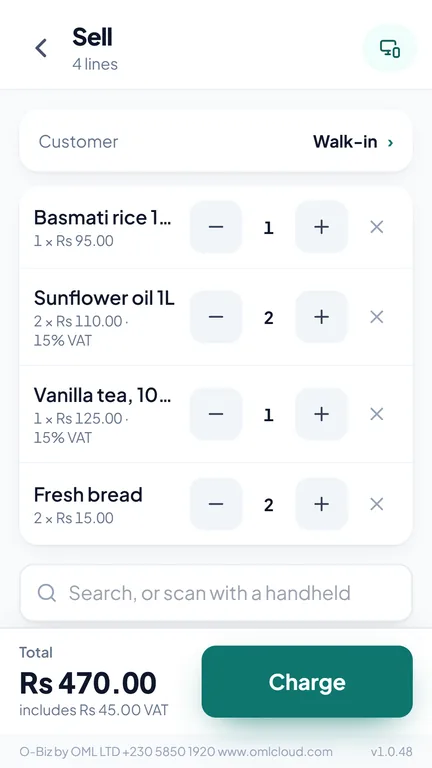
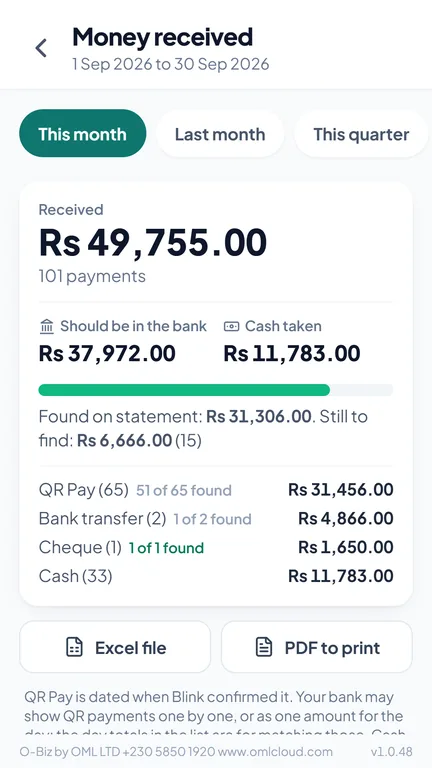
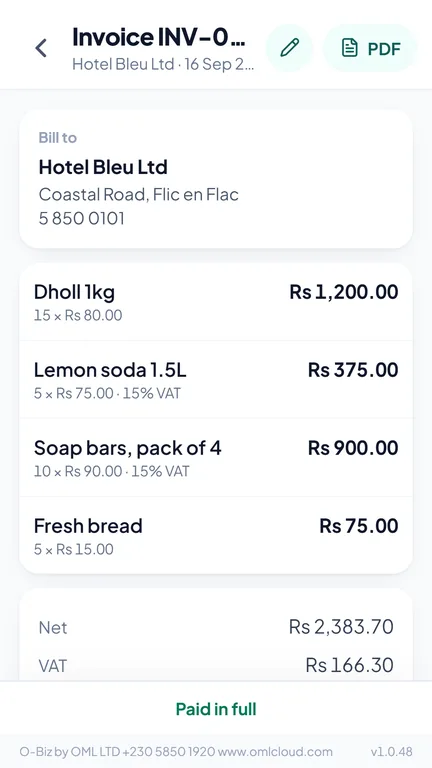
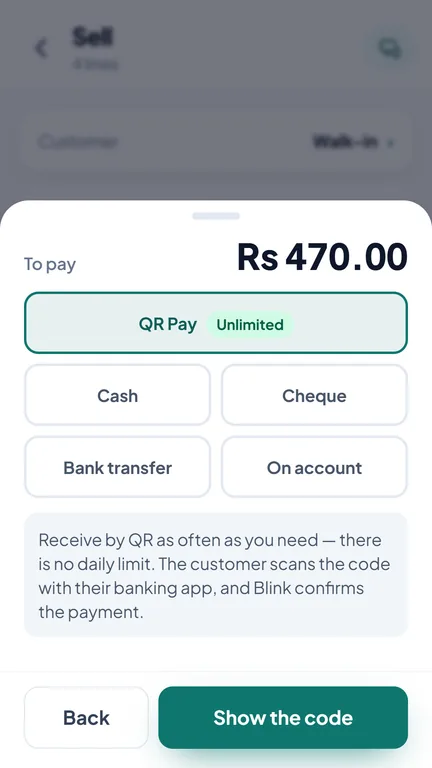
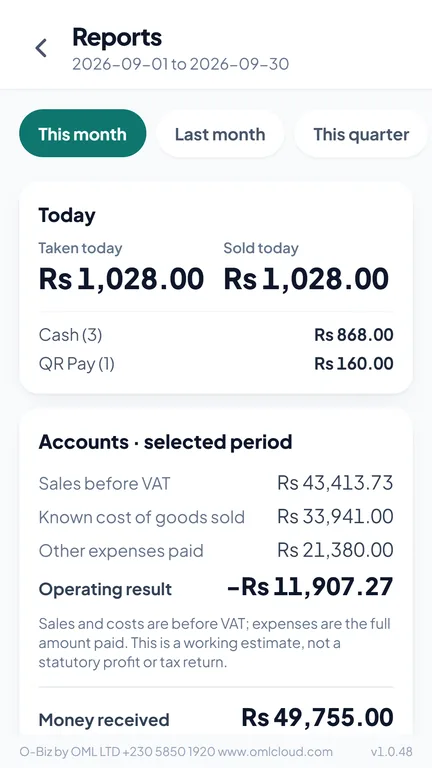
Receive money by QRThe customer scans with their banking app HomeToday at a glance, and the next thing to do SellTap products or scan their barcodes Money receivedEvery payment, ready to tick off InvoiceA PDF with your BRN and VAT number Take paymentQR, cash, cheque or bank transfer ReportsSales, VAT, expenses and profit StockReceive, count and write off stock
What you can do with O-Biz
Everything a small shop needs, in your pocket.
MauCAS through Blink Get paid by QR Type the amount; your customer scans the code with their banking app. Unlimited QR payments. Nothing is marked paid until Blink confirms it. Send the QR as a picture on WhatsApp, showing until when it is valid. Split one bill into several QR payments. The till Sell and invoice A quick till for phone and tablet: tap products or scan barcodes with the camera or a handheld scanner. Receipts, invoices and quotations as PDF, with your BRN and VAT number. Turn a quotation into an invoice in one tap. Buyer and seller signatures, date and time stamped. Goods returned: a credit note that puts the stock back and records the refund. Stock Stock and barcodes Receive, count and write off stock, and see what sold. Make barcodes and labels in the GS1 format used in Mauritius, or your own shop codes. Your money Know where your money is Money received: every payment of the month with its reference, grouped by day, ready to tick off against your bank statement. Export to Excel or PDF. Expenses, VAT on sales and purchases, what customers owe you, and a working estimate of your profit. For VAT-registered businesses MRA e-invoicing Every invoice, sale and sales return is sent to the MRA and printed with its IRN and QR code, also when the signal only comes back later. An e-invoicing report for inspections, with every hash checked again. Private by design Your records stay with you Your records are kept on your own device, encrypted, not on our servers. Lock the app with a PIN, your fingerprint or your face. Back up to an Excel file you can open, and restore it on a new phone.
Free and Full
Start free. Remove the limit when you are ready.
O-Biz Free Everything in the app, with a daily limit on non-QR sales.
Unlimited QR payments Up to 20 cash, bank transfer and cheque sales a day Invoices, stock, expenses and reports O-Biz Full No daily limit. Send OML your app number (in Settings) and enter the key you receive.
Getting started
From install to your first sale.
Install O-Biz From Google Play on your Android phone or tablet. Coming soon.
Set up your shop Your shop's name, BRN and VAT number, and your products.
Apply for Blink QR Right in the app: photograph your papers and send them to Blink yourself, by WhatsApp or email.
Start selling Take QR, cash, cheque or bank transfer, and send receipts and invoices as PDF.
Need more than a phone?
O-Biz for the counter. OML Cloud for the whole business.
Growing beyond one phone? Invoicer: invoices, purchases, accounts, staff attendance and payroll. MRA POS: a full checkout, stock and back office. Smartorder: orders, bookings, online selling and delivery. See all our services →
Questions, answered
Where are my records kept? On your phone, encrypted. They are not on our servers. Back them up to an Excel file and restore them on a new phone.
Do I need Blink for QR payments? Yes, a Blink merchant account. You can apply from inside the app; cash, cheque and bank transfer work without it.
What if the internet goes down? Your records are on the phone, so you can keep selling. QR payments need a connection to reach Blink, and e-invoices are sent to the MRA as soon as the signal is back.
Does it work on iPhone? O-Biz is for Android phones and tablets.
When will it be on Google Play? Very soon. Write to us on WhatsApp and we will tell you as soon as it is available.
O-Biz help line +230 5850 1920 · calls during office hours, WhatsApp 24/7.
Chat on WhatsApp ↗